 PocketFuelGet the app
FUEL AND VEHICLE COST TRACKER FOR ANDROID
Every fill-up,
in your pocket.
A native Android app for logging your fill-ups and vehicle expenses and seeing what they add up to. Tank-to-tank MPG, fuel costs and everything else your vehicles cost you, all kept on your phone, with no cloud account.
PocketFuel keeps your data on your phone. No account, no cloud, no ads.
SEE IT IN ACTION
Watch a quick video walkthrough.
WHAT IS POCKETFUEL
A logbook for every vehicle you own.
Add a vehicle, log a fill-up in a few taps, and the dashboard turns it into MPG, fuel costs, expense totals and an all-in cost per mile. Oil changes, tires, repairs and insurance go in the same place, so you can see what each vehicle really costs to run.
HOW IT WORKS
MPG measured tank to tank.
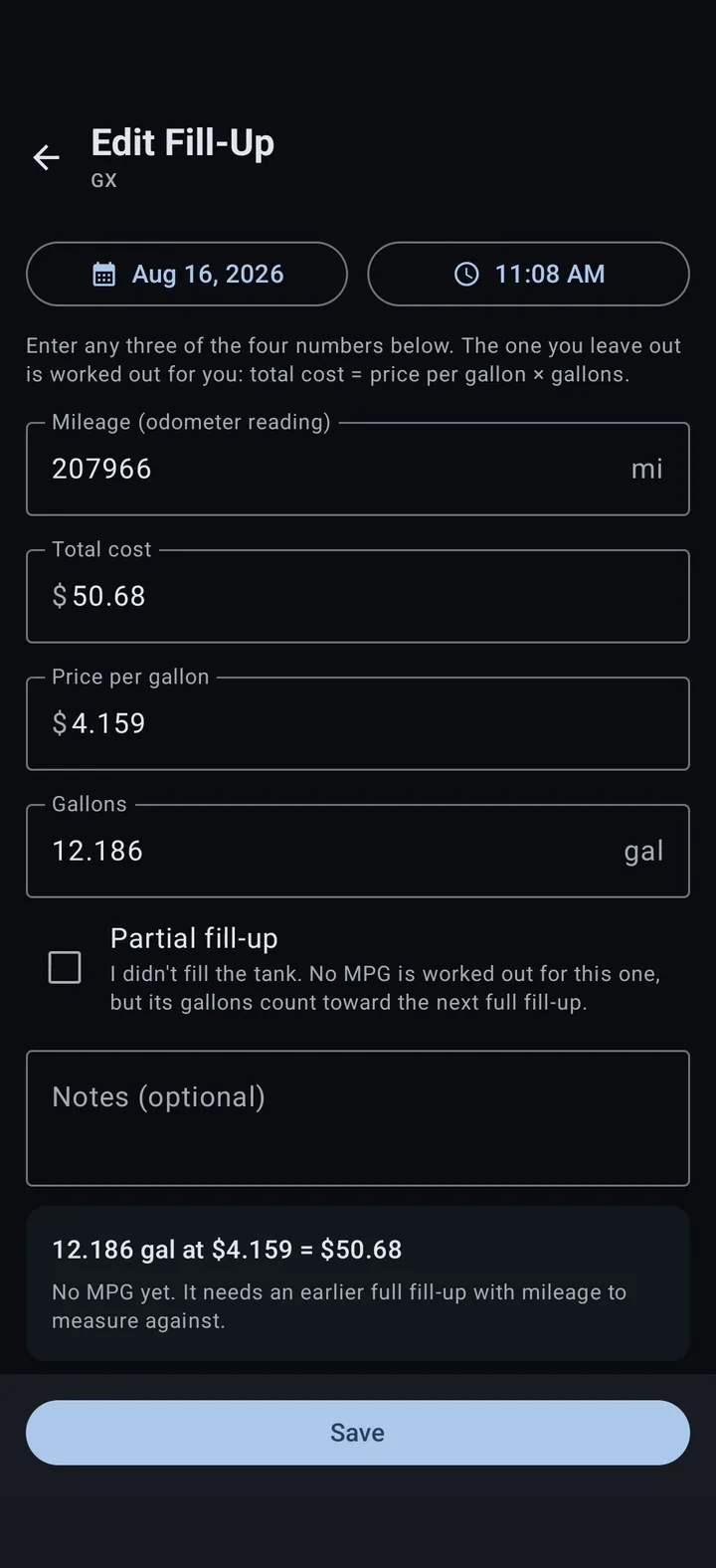
A full fill-up with a mileage reading starts a measurement. The next full fill-up gets its MPG from the miles driven divided by every gallon added since, partial fill-ups included. Enter any three of mileage, total cost, price per gallon and gallons, and the app works out the missing figure as you type.
WHAT TO KNOW
A couple quick notes.
- Everything is stored on your phone, and nothing leaves it.
- Uses miles, gallons, MPG and US dollars, with no unit setting.
- MPG needs mileage on at least two full fill-ups.
- No ads, no analytics, no account to create.
Multiple vehicles
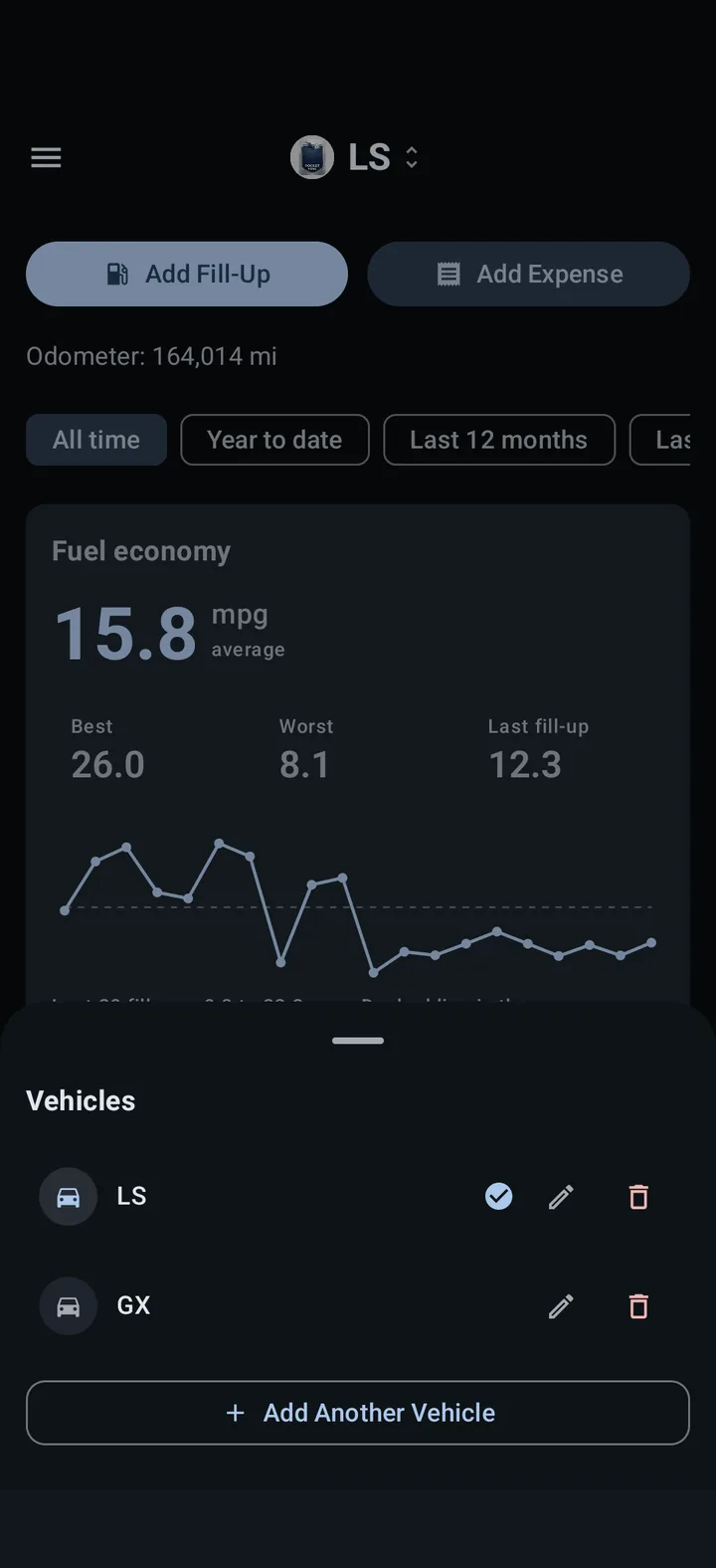
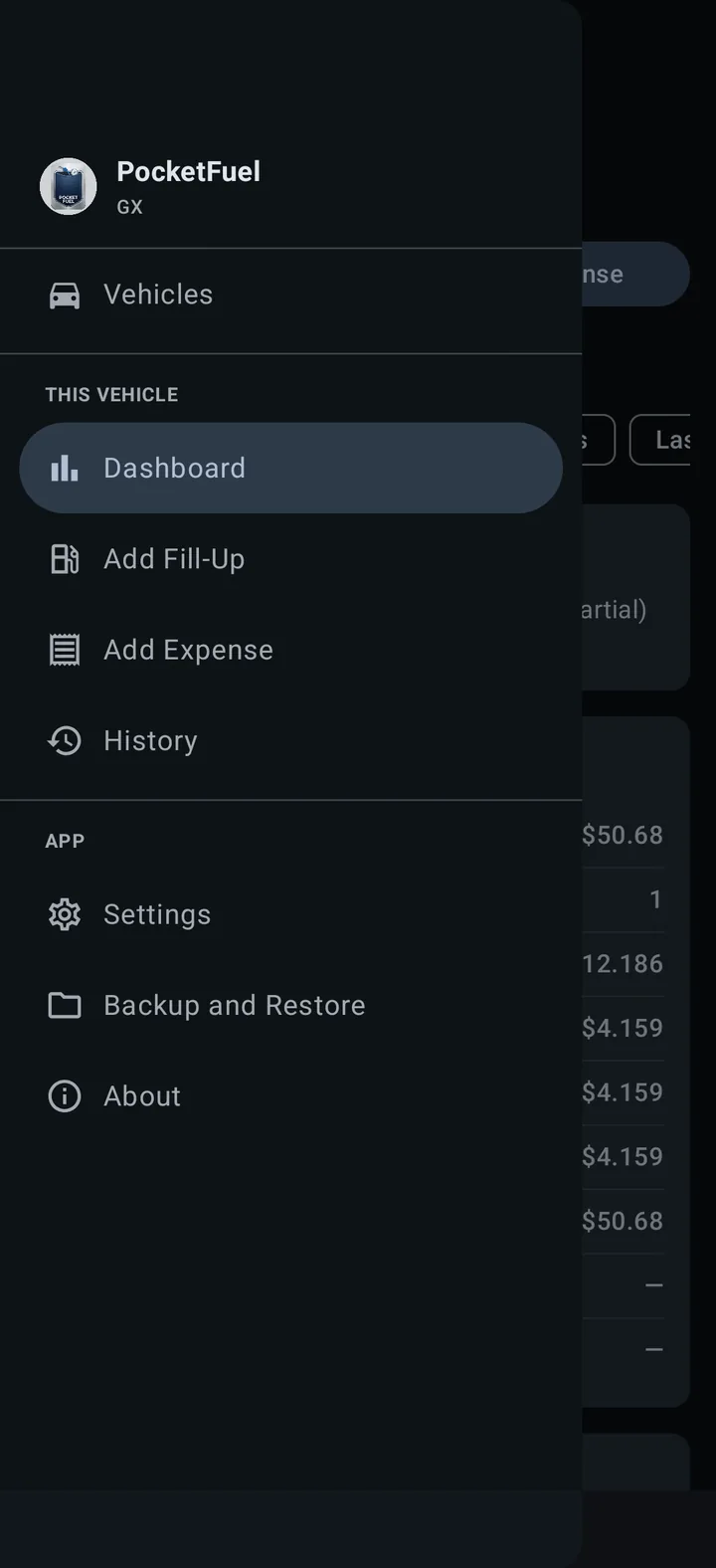
Give each vehicle a name, make, model, year, plate and notes, then switch between them from the top bar or the menu.
Quick fill-up entry
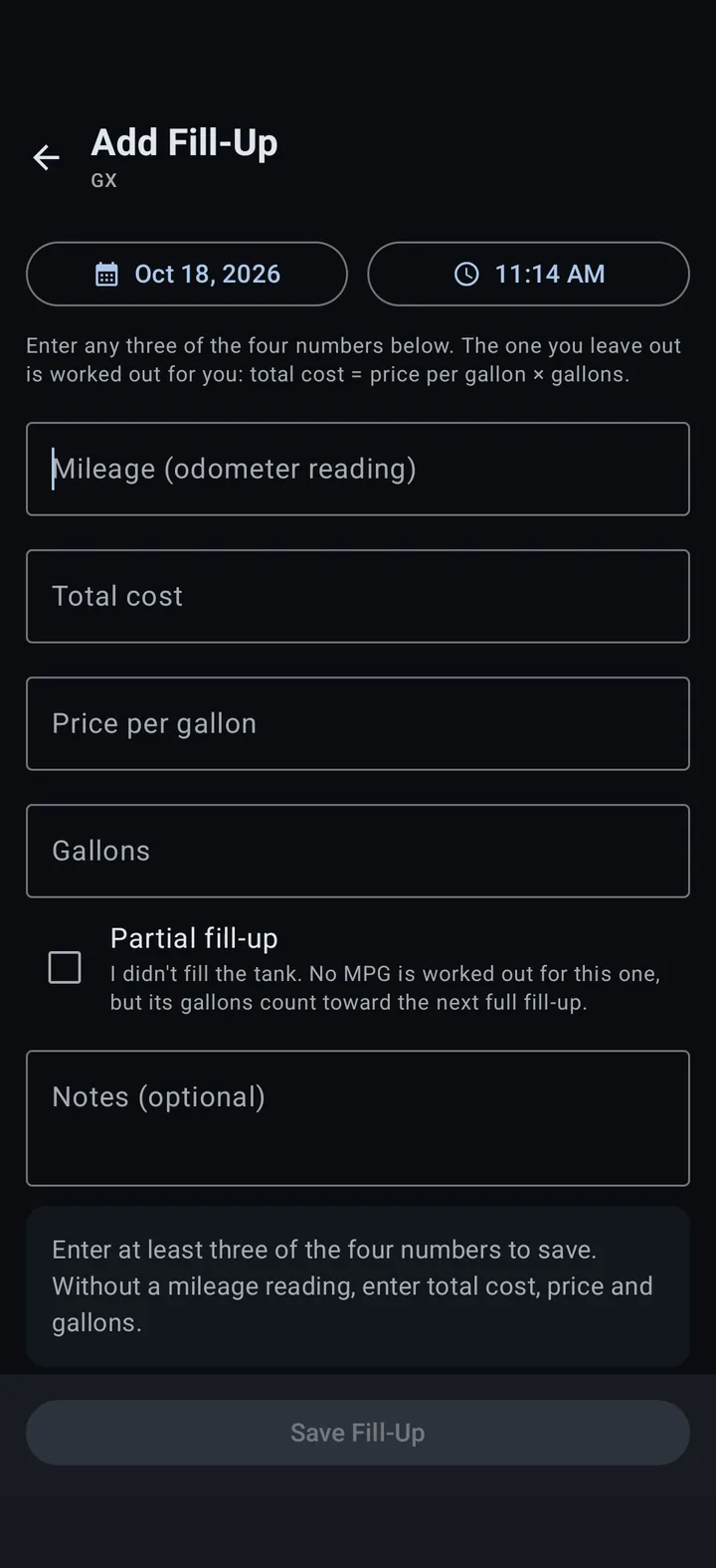
Log the date, mileage, total cost, price per gallon and gallons. Leave out the cost, price or gallons figure and it is worked out as you type, with a live MPG preview.
Tank-to-tank MPG
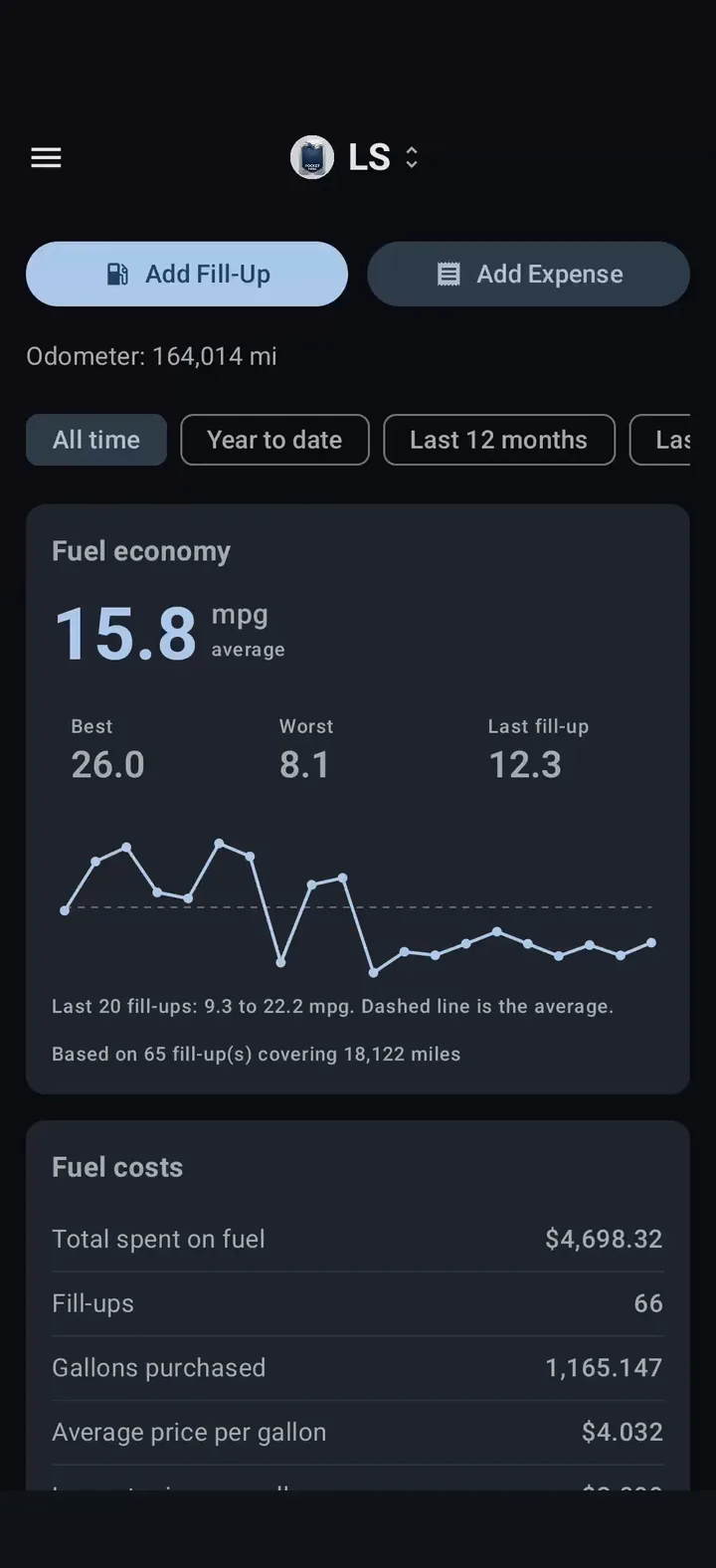
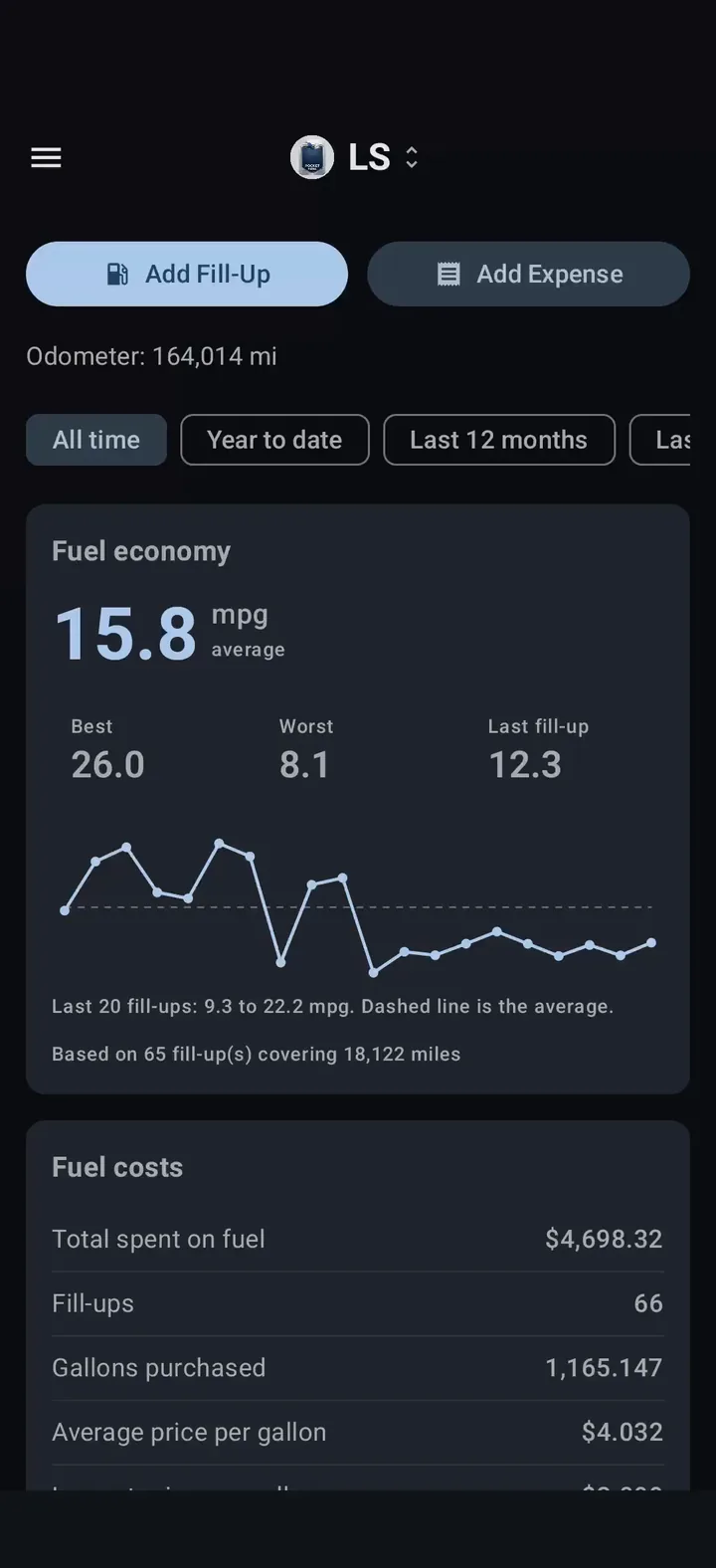
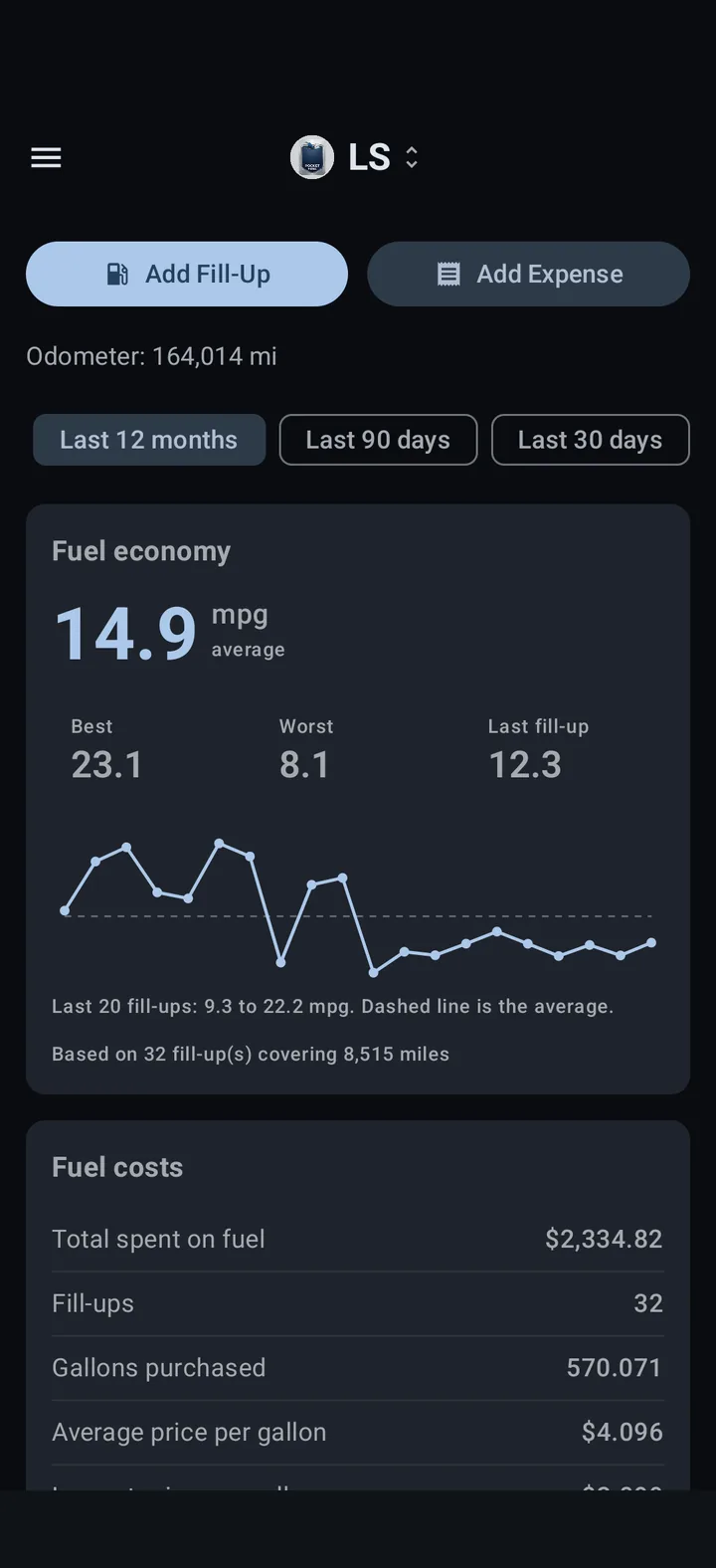
MPG is measured between full fill-ups, and partial fill-ups still count toward the next one. Average, best, worst and last MPG, plus a trend line.
Dashboard & periods
Switch the numbers between all time, year to date, the last 12 months, the last 90 days and the last 30 days.
Fuel costs
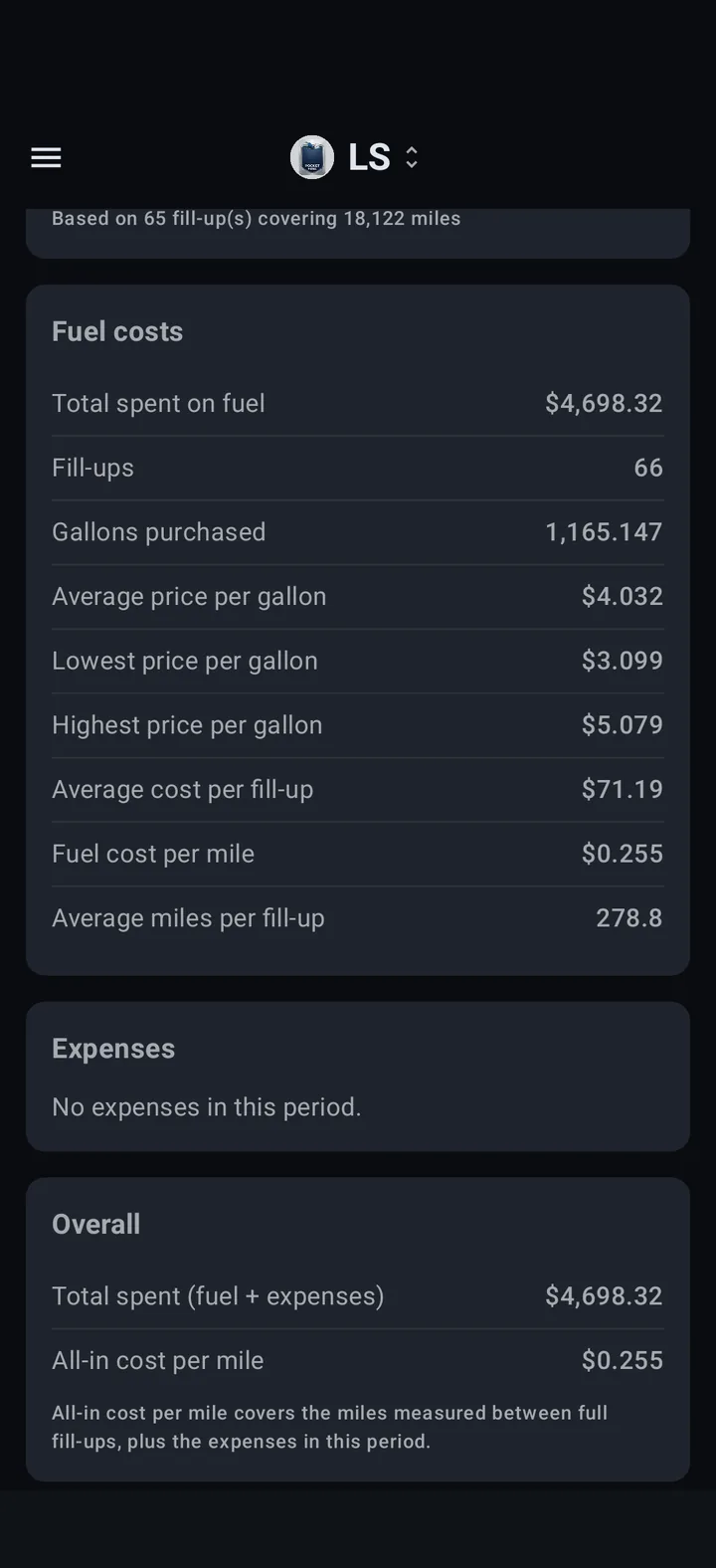
Total spent, price per gallon (average, lowest, highest), cost per fill-up, fuel cost per mile and average miles per fill-up.
Vehicle expenses
Track oil changes, tires, repairs, insurance and more, with an optional mileage and description. See totals, the monthly average, the largest expense and a breakdown by category.
Your own categories
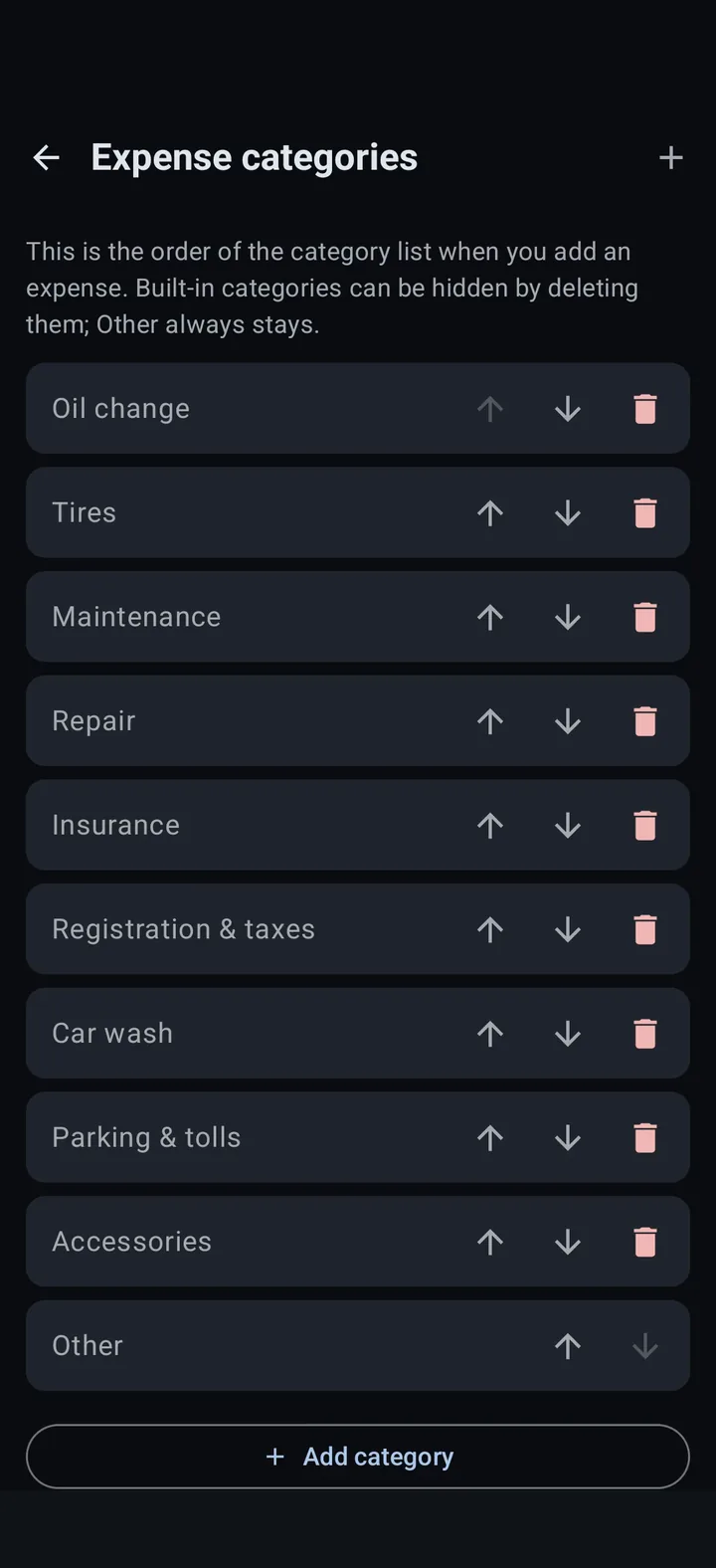
Add, rename and reorder expense categories, hide the built-in ones you never use, or reset to the defaults whenever you like.
History you can fix
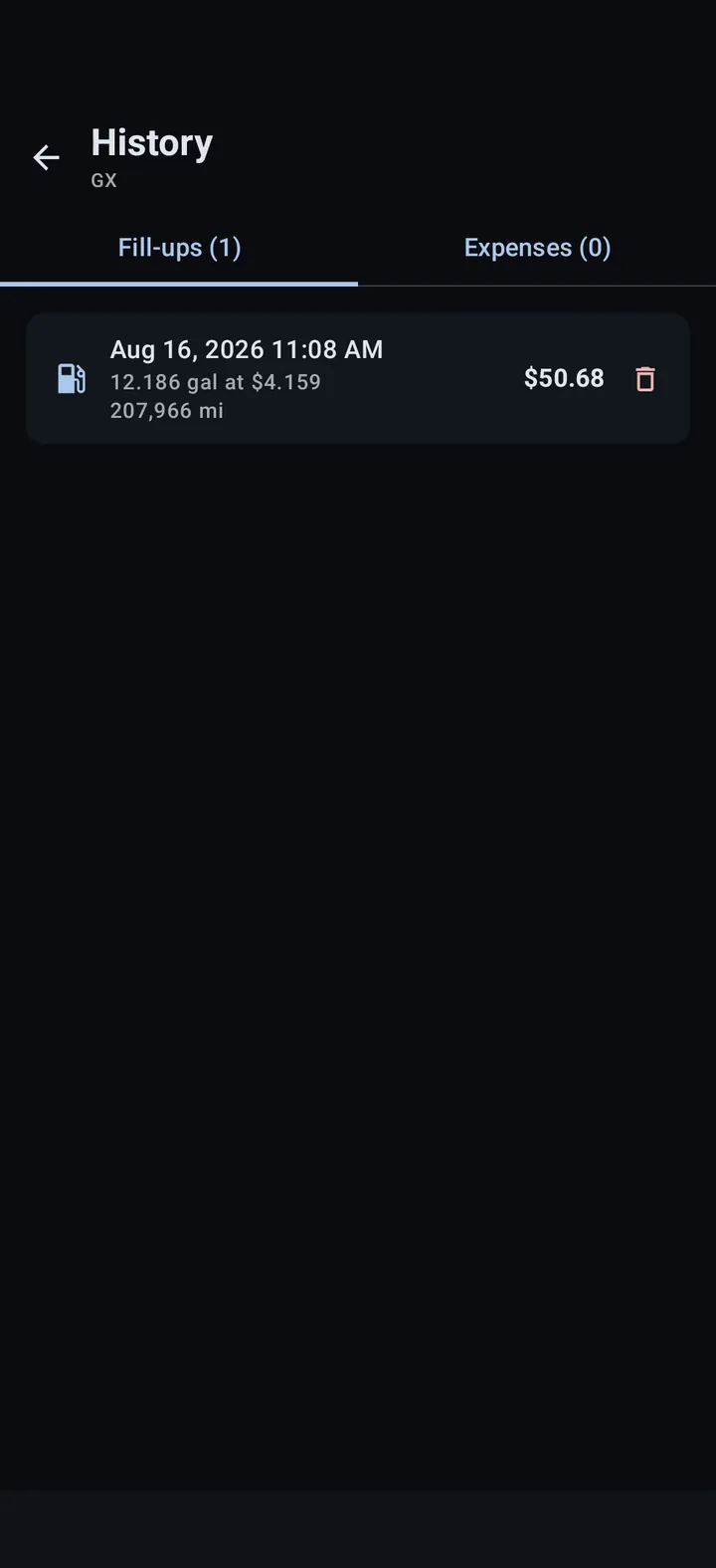
Browse every fill-up and expense for a vehicle, tap one to edit it, or delete it after a confirmation, so a typo never sticks around.
Home screen widget
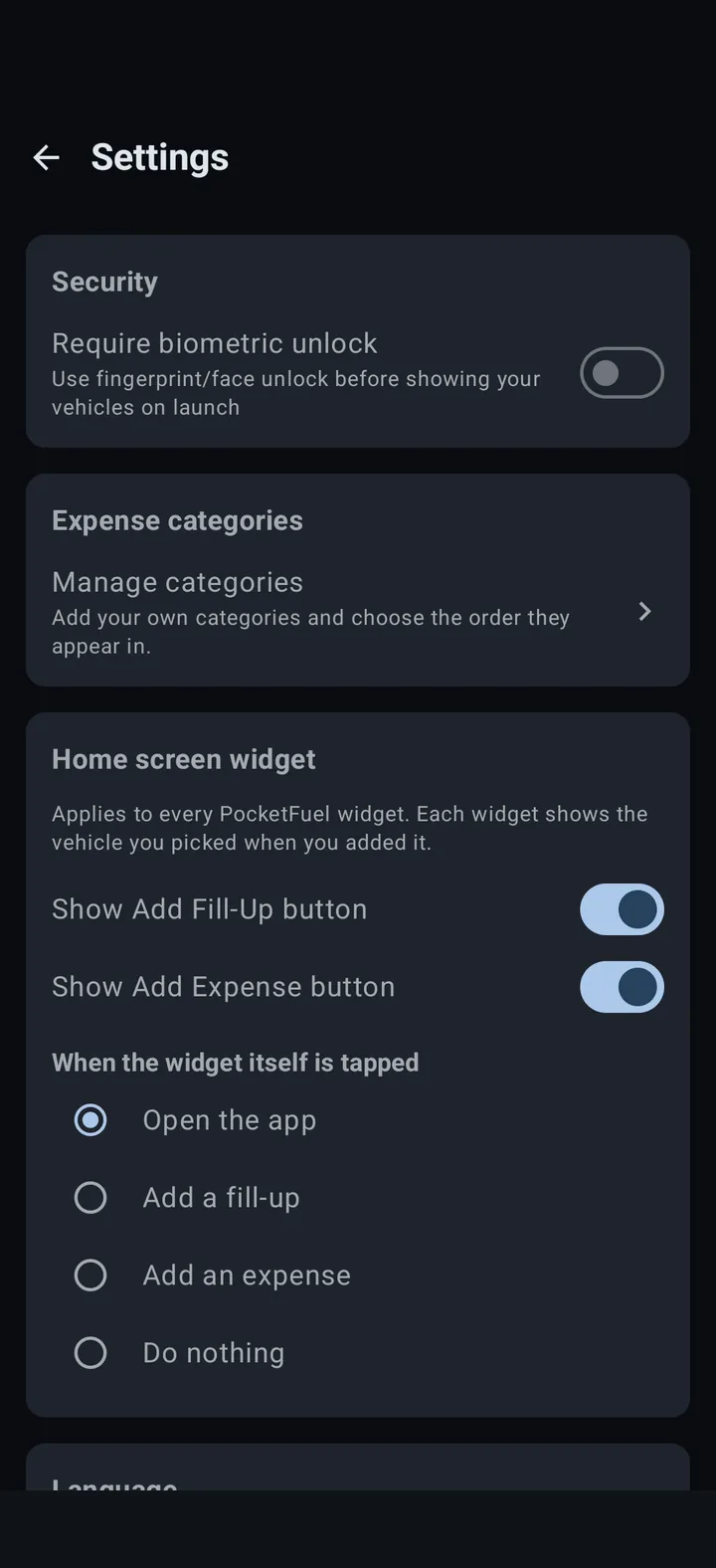
A resizable widget shows a vehicle’s average, last and best MPG with one-tap Fill-up and Expense buttons. Place one per vehicle.
Biometric unlock
Optionally require your fingerprint or face before your vehicles are shown when the app launches.
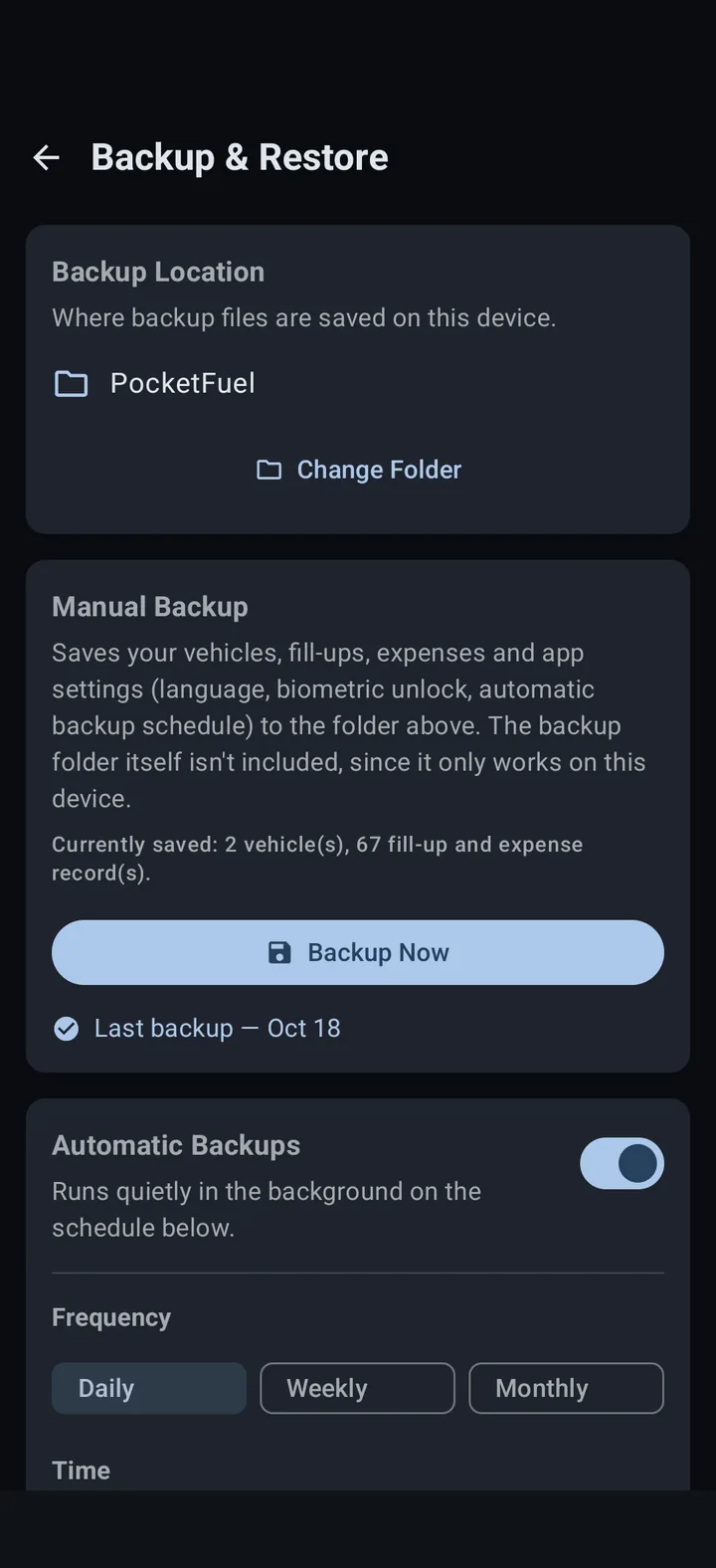
Backup & restore
Export your vehicles, fill-ups, expenses, categories, widget settings and app settings to a file in a folder you choose, and restore them anytime.
Automatic backups
Back up on a daily, weekly or monthly schedule at a time you pick, saved quietly in the background to your chosen folder.
SCREENSHOTS
A closer look
FAQ
Common questions people ask.
Where does my data go?
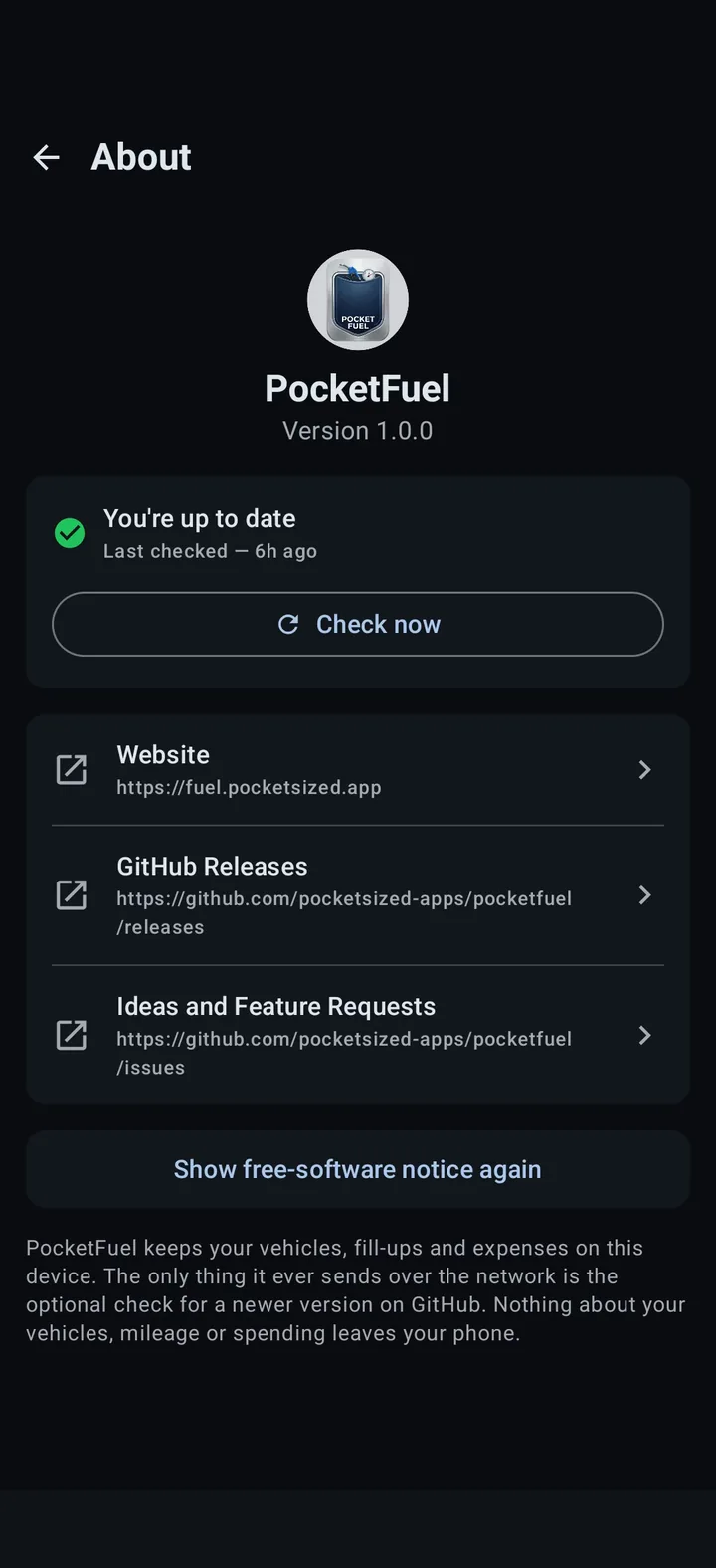
Nowhere. PocketFuel keeps your vehicles, fill-ups and expenses on your phone. The only thing it ever sends over the network is the optional check for a newer version on GitHub. Nothing about your vehicles, mileage or spending leaves your phone.
Do I need to log in or create an account?
No. There is no account, no sign-up and no server to connect to. Install it, add a vehicle and start logging.
How is MPG calculated?
Tank to tank. A full fill-up with a mileage reading is a starting point. The next full fill-up with a mileage reading gets its MPG from the miles driven since then divided by all the gallons added since then, including any partial fill-ups in between. The overall average is total distance over total gallons, not an average of individual MPG figures, so one small top-up cannot skew it. MPG is always worked out over a vehicle’s whole history first and only then narrowed to the period you are viewing.
Why does my first fill-up have no MPG?
MPG needs something to measure against. The first full fill-up with a mileage reading becomes the starting point, so MPG first appears once you have logged two full fill-ups with mileage. If a mileage reading does not go up from the previous one, that entry gets no MPG and becomes the new starting point.
What if I did not fill the tank?
Mark the entry as a partial fill-up. It gets no MPG of its own, but its gallons and cost still count toward the next full fill-up.
What do I have to enter for a fill-up?
Any three of the four numbers: mileage, total cost, price per gallon and gallons. With a mileage reading, you only need two of cost, price and gallons, and the third is calculated for you. Without mileage, enter all three of cost, price and gallons, and the entry is saved without an MPG.
Does PocketFuel support kilometers, liters or other currencies?
No. PocketFuel works in miles, gallons, MPG and US dollars, and there is no unit setting.
Can I track more than one vehicle?
Yes. Add as many vehicles as you like and switch between them from the top bar. Removing a vehicle also removes its fill-ups and expenses, after a confirmation.
Can I add my own expense categories?
Yes. In Settings you can add, rename and reorder categories. Built-in categories can be hidden by deleting them, and Other always stays. Deleting a custom category moves its expenses to Other.
How does the home screen widget refresh?
The widget has no timer. The app redraws it whenever something it shows changes: saving a fill-up or expense, editing or removing a vehicle, changing widget settings or the language, or restoring a backup. Each widget shows the vehicle you picked when you placed it, and its figures cover all time.
How do backups work?
Pick a folder with Android’s own folder picker, then back up manually or on a daily, weekly or monthly schedule. Restoring adds a backup file’s vehicles, fill-ups and expenses to what is already on the phone. Nothing you already have is removed or overwritten, and restoring the same file twice adds nothing new. App settings in the file replace the current ones.
Is PocketFuel free?
Yes, PocketFuel is currently free.
Is PocketFuel open source?
No, PocketFuel is currently not open source, but may be in the future.
Which Android versions are supported?
PocketFuel requires Android 8.0 (Oreo) or newer.
Is there an iPhone version?
No. PocketFuel is Android only, and iPhone is not supported.
Is PocketFuel "vibe coded"?
PocketFuel development uses AI responsibly. Please see the full AI disclosure at the bottom of this page.
Why is the app free? Where do you make your money?
PocketFuel is made available to all, free, the same way its sibling apps are.
Will this app be released in the Google Play Store?
Developer accounts for the Google Play Store cost money and this app is free. If I released it in the Play Store, I would have to charge for the app to make back that money, which I do not want to do.
Would you be open to collaborating with someone else to release it in the Play Store?
Yes. Please email me (admin) to collaborate. This domain name is the second part of the address.
Will this app be released to F-Droid?
If the app becomes open source, I will release it to F-Droid.
What endpoints does the app communicate with?
PocketFuel only communicates with GitHub. Once every 12 hours, or if you hit the check now button, PocketFuel checks the release versions to see if an update is available. Your data is not sent to GitHub, rather it pulls the latest version number and compares it locally to the installed version.
What permissions does PocketFuel need, and why?
PocketFuel asks only for what it needs to run its optional features:
- Internet. Used only for the optional check for a newer version on GitHub. Nothing about your vehicles or spending is sent.
- Network state. Standard permission from the Android library PocketFuel uses for scheduled tasks, so a background task can check the phone’s connection.
- Biometrics. Only used if you turn on biometric unlock in Settings, which is off by default. Android checks your fingerprint or face, and PocketFuel never sees it.
- Startup and wake. Standard permissions from the same library. They let automatic backups resume after a restart, and keep the phone awake briefly while a backup runs.
PocketFuel does not request location, contacts, camera, microphone, notifications, or access to your files. Backups are saved to a folder you pick with Android’s own folder picker.
DOWNLOADS & SUPPORT
Download the app today!
PocketFuel is hosted on GitHub.
Found a bug?
Open an issue on GitHub with your Android version, PocketFuel version, how you got to the bug, and what you saw.
Report an issue →Have an idea?
Ideas and feature requests are welcome, and happen in the open, on GitHub.
Share an idea →AI USE DISCLOSURE
I understand the reservations surrounding AI-generated software. Relying on a tool to write code without fully understanding either the tool or the output is risky and many wish to avoid it. However, developer assistance tools like autocomplete or online reference platforms have been standard practice for years before AI came on the scene.
Both the PocketFuel app and website were developed with the help of AI coding assistants. Depending on the task, this assistance ranged from simple word completion to refactoring functions for modern best practices. Crucially, every line of code was individually reviewed, vetted, and thoroughly tested by me.
Finally, AI involvement is strictly confined to the build process: the PocketFuel application itself contains no embedded AI features or runtime models.
DISCLAIMER
PocketFuel is provided “as is”, without warranty of any kind. Use it at your own risk. Every figure it shows, including MPG, fuel costs and expense totals, is calculated from the entries you make, and will be wrong if those entries are wrong, incomplete or out of order. The developer is not responsible for any loss that results from using the app, from data that is lost, deleted or not backed up, or from information in the app being incomplete or inaccurate. Do not rely on PocketFuel as your only record for taxes, business expenses, reimbursements, warranty claims, or any other purpose where an error could cause you harm.